Monday, November 18, 2024

SQL Mindmap : Dive Deep into SQL

 SQL Mindmap


Dive Deep into SQL

  • DDL (Data Definition Language): Commands like CREATE, DROP, TRUNCATE, and ALTER.
  • DML (Data Manipulation Language): Commands like SELECT, INSERT, UPDATE, and DELETE.
  • DCL (Data Control Language): Commands like GRANT and REVOKE.
  • TCL (Transaction Control Language): Commands like COMMIT, ROLLBACK, and SAVEPOINT.
  • Aliases: Using AS to rename columns or tables.
  • GROUP BY and ORDER BY: Organizing data with GROUP BY and sorting it with ORDER BY ASC/DESC.
  • JOINs: Combining tables using INNER JOIN, LEFT JOIN, RIGHT JOIN, and FULL JOIN.
  • Functions: Aggregate functions like AVG(), SUM(), COUNT(), MIN(), and MAX().
  • Window Functions: Commands like OVER(), ROW_NUMBER(), RANK(), and others for advanced queries.
  • Logical Operators: Including AND, OR, NOT, BETWEEN, and more.


  • Sunday, November 17, 2024

    𝐂𝐨𝐦𝐩𝐨𝐧𝐞𝐧𝐭𝐬 𝐨𝐟 𝐌𝐢𝐜𝐫𝐨𝐬𝐞𝐫𝐯𝐢𝐜𝐞𝐬 𝐀𝐫𝐜𝐡𝐢𝐭𝐞𝐜𝐭𝐮𝐫𝐞

    𝐂𝐨𝐦𝐩𝐨𝐧𝐞𝐧𝐭𝐬 𝐨𝐟 𝐌𝐢𝐜𝐫𝐨𝐬𝐞𝐫𝐯𝐢𝐜𝐞𝐬 𝐀𝐫𝐜𝐡𝐢𝐭𝐞𝐜𝐭𝐮𝐫𝐞

    Microservices architecture breaks down applications into smaller, independent services. Here's a rundown of the 𝟏𝟎 𝐤𝐞𝐲 𝐜𝐨𝐦𝐩𝐨𝐧𝐞𝐧𝐭𝐬 in this architecture:

    1. 𝐂𝐥𝐢𝐞𝐧𝐭

    These are the end-users who interact with the application via different interfaces like web, mobile, or PC.

    2. 𝐂𝐃𝐍 (Content Delivery Network)

    CDNs deliver static content like images, stylesheets, and JavaScript files efficiently by caching them closer to the user's location, reducing load times.

    3. 𝐋𝐨𝐚𝐝 𝐁𝐚𝐥𝐚𝐧𝐜𝐞𝐫

    It distributes incoming network traffic across multiple servers, ensuring no single server becomes a bottleneck and improving the application's availability and reliability.

    4. 𝐀𝐏𝐈 𝐆𝐚𝐭𝐞𝐰𝐚𝐲

    An API Gateway acts as an entry point for all clients, handling tasks like request routing, composition, and protocol translation, which helps manage multiple microservices behind the scenes.

    5. 𝐌𝐢𝐜𝐫𝐨𝐬𝐞𝐫𝐯𝐢𝐜𝐞𝐬

    Each microservice is a small, independent service that performs a specific business function. They communicate with each other via APIs.

    6. 𝐌𝐞𝐬𝐬𝐚𝐠𝐞 𝐁𝐫𝐨𝐤𝐞𝐫

    A message broker facilitates communication between microservices by sending messages between them, ensuring they remain decoupled and can function independently.

    7. 𝐃𝐚𝐭𝐚𝐛𝐚𝐬𝐞𝐬

    Each microservice typically has its database to ensure loose coupling. This can involve different databases for different microservices

    8. 𝐈𝐝𝐞𝐧𝐭𝐢𝐭𝐲 𝐏𝐫𝐨𝐯𝐢𝐝𝐞𝐫

    This component handles user authentication and authorization, ensuring secure access to services.

    9. 𝐒𝐞𝐫𝐯𝐢𝐜𝐞 𝐑𝐞𝐠𝐢𝐬𝐭𝐫𝐲 𝐚𝐧𝐝 𝐃𝐢𝐬𝐜𝐨𝐯𝐞𝐫𝐲

    This system keeps track of all microservices and their instances, allowing services to find and communicate with each other dynamically.

    10. 𝐒𝐞𝐫𝐯𝐢𝐜𝐞 𝐂𝐨𝐨𝐫𝐝𝐢𝐧𝐚𝐭𝐢𝐨𝐧 (e.g., Zookeeper)

    Tools like Zookeeper help manage and coordinate distributed services, ensuring they work smoothly.

    What is a Deadlock

    What is a Deadlock?

    A deadlock occurs when two or more processes are unable to proceed because each is waiting for the other to release a resource.

    Coffman Conditions (Necessary for Deadlock):

    1. Mutual Exclusion: At least one resource is held in a non-shareable mode.

    2. Hold and Wait: A process is holding at least one resource and is waiting for additional resources held by others.

    3. No Preemption: Resources cannot be forcibly taken from a process holding them.

    4. Circular Wait: A circular chain of processes exists, where each process is waiting for a resource held by the next process in the chain.

    Deadlock Example with Transactions:

    • Transaction A:

    • Holds payments resource.

    • Requests orders resource.

    • Transaction B:

    • Holds orders resource.

    • Requests payments resource.

    • This forms a circular wait between the two transactions.

    Steps Demonstrated:

    1. Transaction A locks payments.

    2. Transaction B locks orders.

    3. Transaction A requests orders but is blocked.

    4. Transaction B requests payments but is blocked.

    This cycle causes a deadlock.

    Deadlock Recovery Methods:

    1. Select a victim: Choose a process to terminate or roll back.

    2. Rollback: Undo part of the process to break the deadlock.

    Deadlock Prevention Techniques:

    1. Request resources in a strictly increasing order.

    2. Timeout or rollback processes holding resources for too long.

    3. Banker’s Algorithm: A technique to avoid deadlocks by simulating resource allocation.

    Friday, November 15, 2024

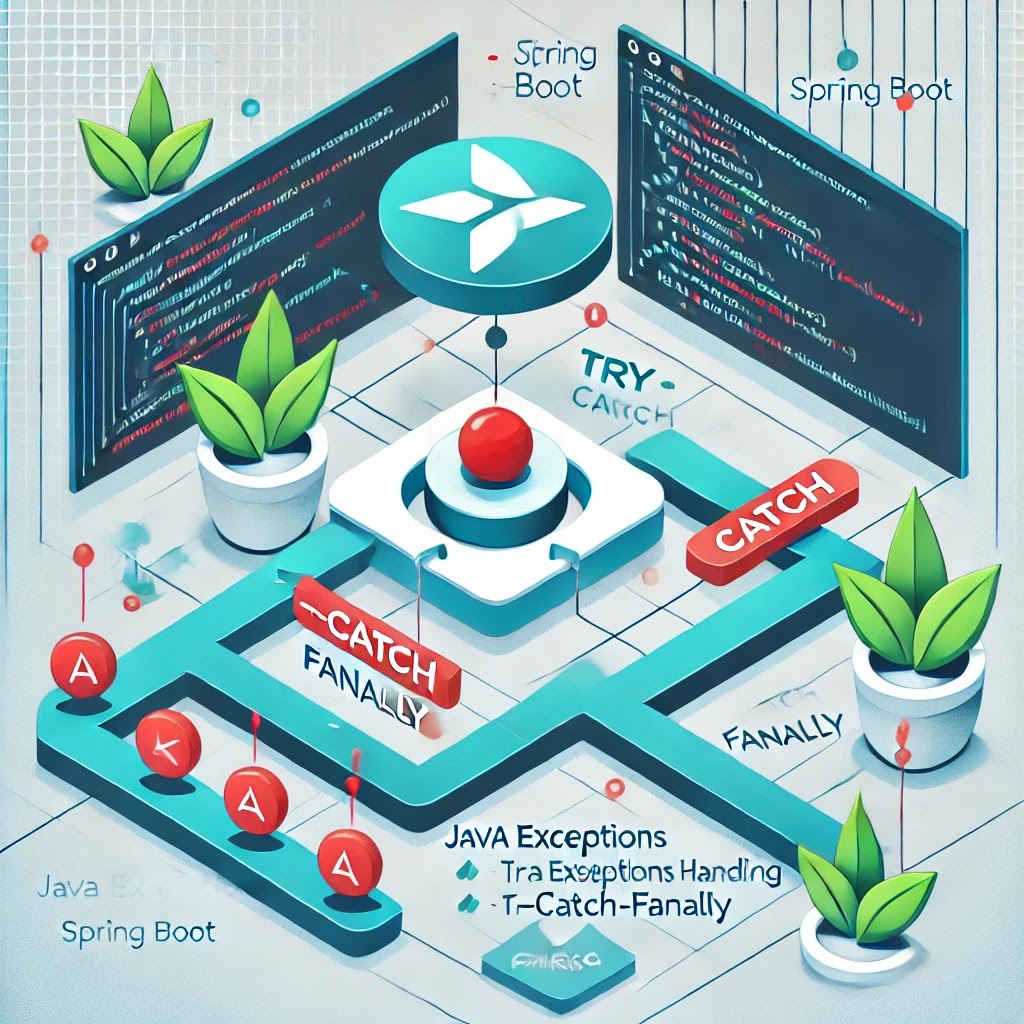
    Mastering Exception Handling in Spring Boot Applications

     Mastering Exception Handling in Spring Boot Applications


    Introduction

    In Spring Boot applications, robust exception handling is essential for delivering a smooth, user-friendly experience and improving application reliability. Java provides several ways to handle exceptions, but Spring Boot offers more streamlined options to make the process easier and more effective. In this post, we’ll explore the basics of exception handling in Java, dive into Spring Boot’s capabilities, and provide some best practices for handling exceptions in a Spring Boot application.

    Understanding Exception Handling in Java

    Exception handling in Java uses try, catch, finally, and throw blocks. Java has two main types of exceptions:

    • Checked Exceptions: These exceptions must be declared in the method signature using throws. They represent conditions outside of the program’s control, such as file I/O errors.
    • Unchecked Exceptions (Runtime Exceptions): These are errors in the program logic and need not be declared. Examples include NullPointerException and IllegalArgumentException.

    Proper handling of these exceptions is key in any Java application, and Spring Boot offers tools to make this process even smoother.

    Exception Handling with Spring Boot

    Spring Boot provides a variety of ways to handle exceptions at different levels of the application. Some of the most common are @ExceptionHandler, @ControllerAdvice, and custom ErrorController. Here’s a closer look at each.

    1. @ExceptionHandler

    The @ExceptionHandler annotation allows you to handle exceptions locally within a specific controller class. Here’s an example:

    @RestController
    public class UserController {
    
        @GetMapping("/users/{id}")
        public ResponseEntity<User> getUserById(@PathVariable Long id) {
            User user = userService.findUserById(id);
            if (user == null) {
                throw new UserNotFoundException("User not found with id: " + id);
            }
            return ResponseEntity.ok(user);
        }
    
        @ExceptionHandler(UserNotFoundException.class)
        public ResponseEntity<String> handleUserNotFound(UserNotFoundException ex) {
            return ResponseEntity.status(HttpStatus.NOT_FOUND).body(ex.getMessage());
        }
    }
    

    Here, @ExceptionHandler catches the UserNotFoundException and returns a custom message and status code. This approach is useful when exceptions are specific to a single controller.

    2. @ControllerAdvice

    @ControllerAdvice is a more global approach, allowing you to handle exceptions across the entire application. This is helpful when you want to create a common error response structure.

    @ControllerAdvice
    public class GlobalExceptionHandler {
    
        @ExceptionHandler(UserNotFoundException.class)
        public ResponseEntity<String> handleUserNotFound(UserNotFoundException ex) {
            return ResponseEntity.status(HttpStatus.NOT_FOUND).body(ex.getMessage());
        }
    
        @ExceptionHandler(Exception.class)
        public ResponseEntity<String> handleGeneralException(Exception ex) {
            return ResponseEntity.status(HttpStatus.INTERNAL_SERVER_ERROR).body("An error occurred: " + ex.getMessage());
        }
    }
    

    This approach lets you define handlers for different types of exceptions that apply to all controllers, ensuring consistency across your application.

    3. Custom Error Handling with ErrorController

    Spring Boot’s ErrorController provides a way to override the default error handling behavior globally.


    @RestController public class CustomErrorController implements ErrorController { @RequestMapping("/error") public ResponseEntity<String> handleError() { return ResponseEntity.status(HttpStatus.INTERNAL_SERVER_ERROR)
                        .body("Custom error message"); } }

    With this setup, you can create a custom error page or error response format for cases not covered by @ExceptionHandler or @ControllerAdvice.

    Creating a Custom Exception Class

    For better code readability and maintainability, consider creating custom exception classes tailored to your application's needs. This practice makes your code more expressive and allows you to specify exceptions for unique scenarios:

    public class UserNotFoundException extends RuntimeException { public UserNotFoundException(String message) { super(message); } }

    Best Practices for Exception Handling in Spring Boot

    1. Use Meaningful Exception Messages: Ensure that the exception messages provide useful information for debugging.
    2. Avoid Overusing Checked Exceptions: Use runtime exceptions where appropriate, as they make code cleaner and easier to read.
    3. Return Consistent Response Formats: Standardize your response format for all exceptions using @ControllerAdvice.
    4. Leverage Logging: Always log exceptions to help troubleshoot and identify issues in production environments.
    5. Hide Sensitive Information: Avoid exposing stack traces or sensitive information in your error messages. Instead, return user-friendly messages.

    Conclusion

    Exception handling in Spring Boot, when done correctly, provides better control over your application’s behavior and user experience. By using @ExceptionHandler, @ControllerAdvice, and ErrorController, you can handle exceptions gracefully and consistently across your application. Custom exceptions and best practices in logging and message consistency will make your Spring Boot application more robust, maintainable, and user-friendly.

    With these strategies, you’re ready to implement effective exception handling in your Spring Boot application. Happy coding!

    Introduction

    In Spring Boot applications, robust exception handling is essential for delivering a smooth, user-friendly experience and improving application reliability. Java provides several ways to handle exceptions, but Spring Boot offers more streamlined options to make the process easier and more effective. In this post, we’ll explore the basics of exception handling in Java, dive into Spring Boot’s capabilities, and provide some best practices for handling exceptions in a Spring Boot application.

    Understanding Exception Handling in Java

    Exception handling in Java uses try, catch, finally, and throw blocks. Java has two main types of exceptions:

    • Checked Exceptions: These exceptions must be declared in the method signature using throws. They represent conditions outside of the program’s control, such as file I/O errors.
    • Unchecked Exceptions (Runtime Exceptions): These are errors in the program logic and need not be declared. Examples include NullPointerException and IllegalArgumentException.

    Proper handling of these exceptions is key in any Java application, and Spring Boot offers tools to make this process even smoother.

    Exception Handling with Spring Boot

    Spring Boot provides a variety of ways to handle exceptions at different levels of the application. Some of the most common are @ExceptionHandler, @ControllerAdvice, and custom ErrorController. Here’s a closer look at each.

    1. @ExceptionHandler

    The @ExceptionHandler annotation allows you to handle exceptions locally within a specific controller class. Here’s an example:

    @RestController public class UserController { @GetMapping("/users/{id}") public ResponseEntity<User> getUserById(@PathVariable Long id) { User user = userService.findUserById(id); if (user == null) { throw new UserNotFoundException("User not found with id: " + id); } return ResponseEntity.ok(user); } @ExceptionHandler(UserNotFoundException.class) public ResponseEntity<String> handleUserNotFound(UserNotFoundException ex) { return ResponseEntity.status(HttpStatus.NOT_FOUND).body(ex.getMessage()); } }

    Here, @ExceptionHandler catches the UserNotFoundException and returns a custom message and status code. This approach is useful when exceptions are specific to a single controller.

    2. @ControllerAdvice

    @ControllerAdvice is a more global approach, allowing you to handle exceptions across the entire application. This is helpful when you want to create a common error response structure.


    @ControllerAdvice public class GlobalExceptionHandler { @ExceptionHandler(UserNotFoundException.class) public ResponseEntity<String> handleUserNotFound(UserNotFoundException ex) { return ResponseEntity.status(HttpStatus.NOT_FOUND).body(ex.getMessage()); } @ExceptionHandler(Exception.class) public ResponseEntity<String> handleGeneralException(Exception ex) { return ResponseEntity.status(HttpStatus.INTERNAL_SERVER_ERROR)
                    .body("An error occurred: " + ex.getMessage()); } }

    This approach lets you define handlers for different types of exceptions that apply to all controllers, ensuring consistency across your application.

    3. Custom Error Handling with ErrorController

    Spring Boot’s ErrorController provides a way to override the default error handling behavior globally.


    @RestController public class CustomErrorController implements ErrorController { @RequestMapping("/error") public ResponseEntity<String> handleError() { return ResponseEntity.status(HttpStatus.INTERNAL_SERVER_ERROR)
                    .body("Custom error message"); } }

    With this setup, you can create a custom error page or error response format for cases not covered by @ExceptionHandler or @ControllerAdvice.

    Creating a Custom Exception Class

    For better code readability and maintainability, consider creating custom exception classes tailored to your application's needs. This practice makes your code more expressive and allows you to specify exceptions for unique scenarios:


    public class UserNotFoundException extends RuntimeException { public UserNotFoundException(String message) { super(message); } }

    Best Practices for Exception Handling in Spring Boot

    1. Use Meaningful Exception Messages: Ensure that the exception messages provide useful information for debugging.
    2. Avoid Overusing Checked Exceptions: Use runtime exceptions where appropriate, as they make code cleaner and easier to read.
    3. Return Consistent Response Formats: Standardize your response format for all exceptions using @ControllerAdvice.
    4. Leverage Logging: Always log exceptions to help troubleshoot and identify issues in production environments.
    5. Hide Sensitive Information: Avoid exposing stack traces or sensitive information in your error messages. Instead, return user-friendly messages.

    Conclusion

    Exception handling in Spring Boot, when done correctly, provides better control over your application’s behavior and user experience. By using @ExceptionHandler, @ControllerAdvice, and ErrorController, you can handle exceptions gracefully and consistently across your application. Custom exceptions and best practices in logging and message consistency will make your Spring Boot application more robust, maintainable, and user-friendly.

    With these strategies, you’re ready to implement effective exception handling in your Spring Boot application. Happy coding!

    Thursday, November 14, 2024

    Kafka Use cases


    Kafka Use cases


    Use cases of Apache Kafka, a distributed event-streaming platform. Let’s walk through each section in detail:


    1. Streaming Data:

    • Platforms like Twitter, Instagram, and Facebook send data streams to Kafka topics.

    • Kafka integrates with Spark Streaming, which can process the streams in real time to feed ML models for analysis or prediction.

    2. Log Aggregation:

    • Logs from various servers and applications are collected and routed to Kafka.

    • Kafka sends the logs to processing systems like Spark or other analytics platforms to generate reports or dashboards.

    3. Message Queuing:

    • Producers (1, 2, and 3) send different types of messages to Kafka topics.

    • Kafka ensures that consumers get each message reliably and in the right order.

    4. Data Replication:

    • Databases (DB1, DB2, DB3) use Kafka Connect to replicate data to other DBs (DB4, DB5, DB6), ensuring real-time consistency across systems.

    5. Monitoring & Alerting:

    • Logs from multiple microservices are streamed into Kafka.

    • Apache Flink monitors the logs in real time, sending alerts if it detects any anomalies or failures.

    6. Change Data Capture (CDC):

    • Kafka captures changes from a transaction log of a source database.

    • Kafka streams the changes to various sinks like Elasticsearch, Redis, or other databases to keep replicas updated in real time.

    7. System Migration:

    • Kafka helps migrate services (e.g., Shopping Cart, Order, and Payment services) by synchronizing data between old and new systems.

    • Kafka can reconcile orders and ensure data consistency during and after migration.

    8. Real-Time Analytics:

    • Producers send records to specific Kafka topics and partitions.

    • Kafka brokers distribute these records for real-time analytics by consumer groups to gain insights immediately.


    Each section highlights Kafka’s versatility in handling event streams, data synchronization, monitoring, and real-time analytics. This image nicely illustrates the interconnected flow of data in a Kafka-centric architecture.


    Tuesday, November 12, 2024

    Apache Kafka Architecture

    Apache Kafka is an open-source distributed event-streaming platform that facilitates real-time data pipelines and applications. Originally developed by LinkedIn and now managed by the Apache Software Foundation, Kafka allows organizations to publish, subscribe to, store, and process data streams in real time. It is built to be highly scalable, fault-tolerant, and ideal for low-latency data pipelines.


    Core Concepts


    1. Producer: A client application that publishes messages (events) to Kafka topics. Producers can partition data to balance the load across a Kafka cluster.

    2. Consumer: A client application that subscribes to Kafka topics to read and process events in real time. Consumers can join consumer groups for parallel message processing.

    3. Broker: Kafka servers (brokers) manage message storage and transmission, support data replication, and ensure high availability.

    4. Topic: A logical channel where data is stored and accessed. Topics consist of partitions, which enable Kafka’s scalability and data retention.

    5. Partition: Each topic is divided into partitions, allowing Kafka to scale horizontally by processing messages in parallel.

    6. ZooKeeper (now optional): Previously, Kafka relied on ZooKeeper for cluster coordination, but recent versions allow self-managed Kafka clusters without ZooKeeper.


    Key Features


    • High Throughput and Low Latency

    • Scalability and Fault Tolerance

    • Durable Storage and Exactly-Once Processing


    Common Use Cases


    • Real-Time Analytics

    • Event Sourcing

    • Data Integration

    • Log Aggregation

    • Microservices Communication


    Challenges


    • Operational Complexity

    • Latency over Long Distances

    • Message Ordering

    Tuesday, December 21, 2021

    Distributed Transactions

    What is a distributed transaction? 

    Transactions that span over multiple physical systems or computers over the network, are simply termed Distributed Transactions. In the world of microservices a transaction is now distributed to multiple services that are called in a sequence to complete the entire transaction. 

    Here is a monolithic e-commerce system using transactions:


    Here is the e-commerce system decomposed as microservices:


    Two approaches
    • Two-Phase Commit
    • Eventual Consistency and Compensation / SAGA

    1. Two-Phase Commit

    Handling transactions in two stages, a prepare phase and a commit phase. One important participant is the Transaction Coordinator which maintains the lifecycle of the transaction.


    Successful Two Phase commit on Microservices

    Failed Two Phase commit on Microservices


    2. Eventual Consistency and Compensation / SAGA

    Each service publishes an event whenever it updates its data. Other service subscribe to events. When an event is received, a service updates its data.


    Eventual Consistency / SAGA, success scenario


    Eventual Consistency / SAGA, failure scenario


    Tha 𝗔𝗣𝗜 Design 𝗛𝗮𝗻𝗱𝗯𝗼𝗼𝗸

     Here is the 𝟮𝟬𝟮𝟲 𝗔𝗣𝗜 𝗛𝗮𝗻𝗱𝗯𝗼𝗼𝗸 broken down by architecture: 𝟭. 𝗧𝗵𝗲 "𝗥𝗲𝗾𝘂𝗲𝘀𝘁-𝗥𝗲𝘀𝗽𝗼𝗻𝘀𝗲" 𝗧𝗿𝗶𝗼: ...